
Version 0.2 public live demo
Accessible Image Hotspots for WordPress.
Select the three numbered pins on the fictional dashboard below. This page uses the exact public CSS and JavaScript shipped with version 0.2.0, including the Pulse appearance preset, a custom accent color, responsive marker sizing, one-open-at-a-time panels, and Escape-to-close focus restoration.
Try it: select pins 1, 2, and 3. Opening a new pin closes the previous panel. Press Escape to close the open panel and return focus to its pin. The pulsing effect stops automatically when reduced motion is preferred.
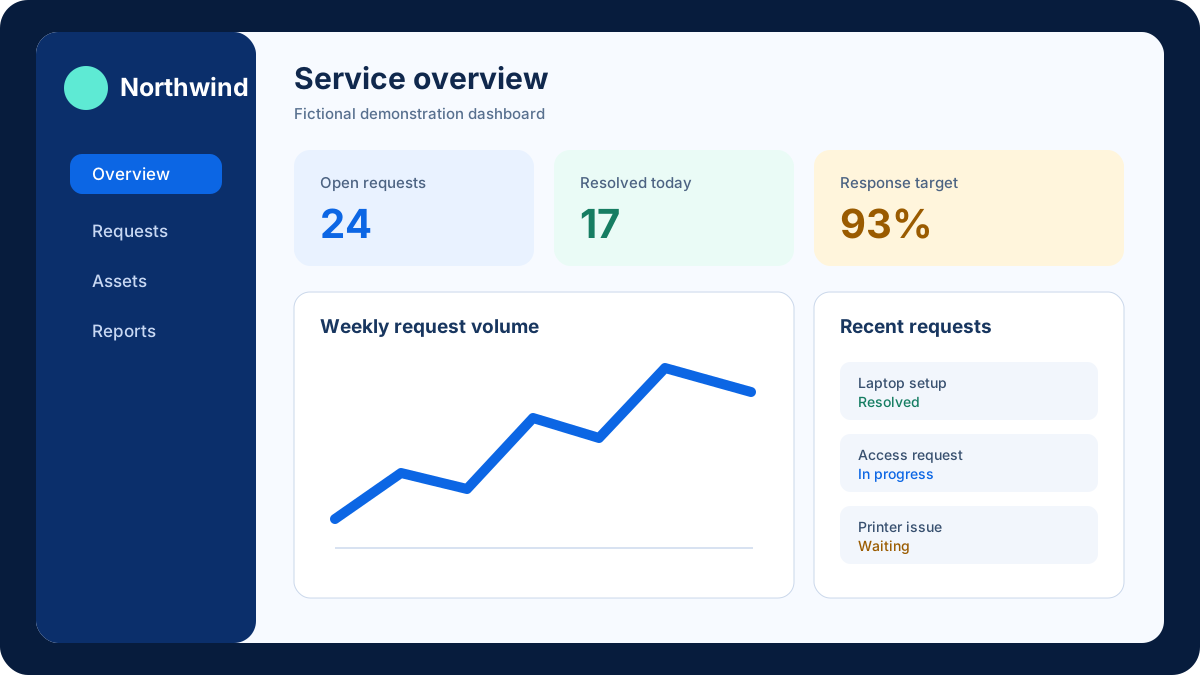
This fictional summary card demonstrates how a hotspot can explain a metric or visual element.
Use a short annotation to give chart context without permanently covering the image.
Responsive positions and edge-aware panel placement help keep this annotation usable across screen sizes.
Review the demo boundariesUseful annotations, bounded behavior
Build polished hotspots without adding a remote service.
Version 0.2 lets editors place up to 100 pins directly on an image, choose from four presets and four marker styles, set accent color and marker size, use light or dark panels, duplicate and reorder hotspots, and export or import portable JSON. Visitors can operate pins by keyboard or pointer. The plugin opens one panel at a time and restores focus after Escape.
- Choose an appropriate imageUse an image you own and provide meaningful alternative text.
- Place and style each pinClick the editor preview to place pins, then choose a preset or tune appearance controls.
- Check every screen sizeUse responsive percentage positions and horizontal or vertical panel flips near image edges.
- Move configurations safelyExport the block configuration as JSON and import it into another block when needed.
Marketplace checkout
Get Accessible Image Hotspots for $34.
Purchase and file delivery are handled by Codester. The plugin does not add frontend cookies, browser storage, analytics, remote libraries, or remote requests. This CTS demonstration page remains subject to the site-wide analytics choices described in the Website Privacy Policy.